
Introduction
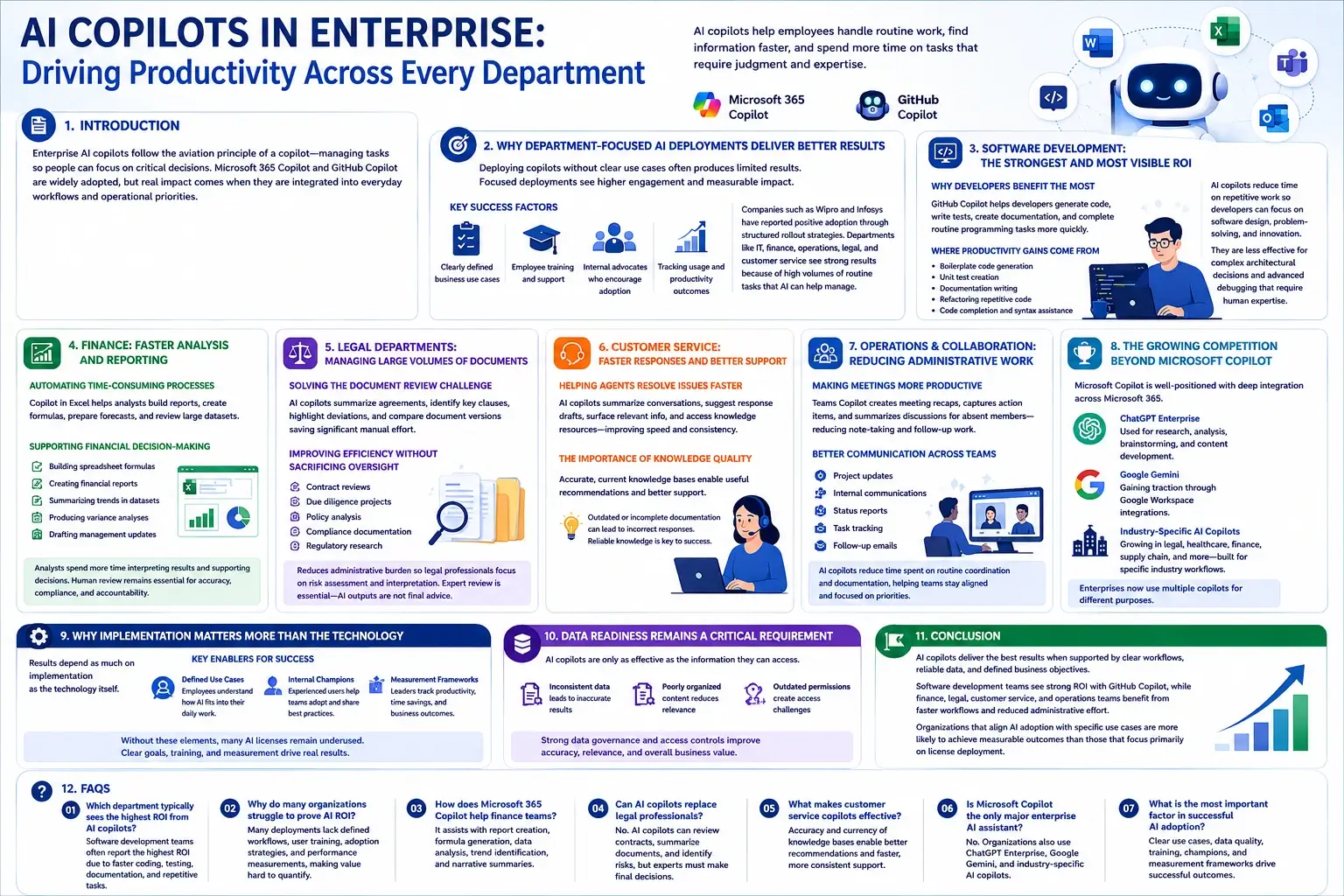
The term copilot comes from aviation. A copilot supports the pilot by managing tasks and processes, so attention can remain on critical decisions. Enterprise AI copilots follow the same principle. They help employees handle routine work, find information faster, and spend more time on tasks that require judgment and expertise.
Microsoft 365 Copilot and GitHub Copilot are now widely used across large enterprises, reflecting growing interest in AI-assisted work. However, adoption alone does not guarantee results. Many organizations are still assessing how these tools contribute to productivity and business performance. The biggest gains are often seen in departments where copilots are closely integrated into everyday workflows and operational priorities.
Why Department-Focused AI Deployments Deliver Better Results
One of the key lessons from enterprise AI adoption is that deploying copilots without clear use cases often produces limited results. Organizations that introduce AI within specific workflows typically see stronger engagement because employees can quickly connect the technology to their daily responsibilities.
Key factors behind successful deployments include:
- Clearly defined business use cases
- Employee training and support programs
- Internal advocates who encourage adoption
- Tracking usage and productivity outcomes
Companies such as Wipro and Infosys have reported positive adoption through structured rollout strategies. Across industries, IT, finance, operations, legal, and customer service teams continue to see strong results because their work involves large volumes of routine tasks that AI can help manage.
Software Development: The Strongest and Most Visible ROI
Why Developers Benefit the Most
Software development remains one of the clearest examples of AI copilot value. Tools such as GitHub Copilot help developers generate code, write tests, create documentation, and complete routine programming tasks more quickly. Studies have reported productivity gains across several development activities.
Where the Productivity Gains Come From
The most common benefits include:
- Boilerplate code generation
- Unit test creation
- Documentation writing
- Refactoring repetitive code
- Code completion and syntax assistance
By reducing time spent on repetitive work, AI copilots allow developers to focus more on software design, problem-solving, and innovation. However, they are less effective for complex architectural decisions, advanced debugging, and projects that require deep technical expertise or business context. Organizations report the strongest outcomes when AI supports engineering teams rather than replacing human judgment.
Finance: Faster Analysis and Reporting
Automating Time-Consuming Processes
Finance teams are among the biggest beneficiaries of Microsoft 365 Copilot, particularly within Excel. Financial analysts often spend considerable time building reports, creating formulas, preparing forecasts, and reviewing large datasets.
AI copilots can assist with formula generation, data organization, trend identification, and report drafting, helping reduce the time required for routine tasks.
Supporting Financial Decision-Making
Copilot can help finance teams by:
- Building spreadsheet formulas
- Creating financial reports
- Summarizing trends in datasets
- Producing variance analyses
- Drafting management updates
These capabilities allow analysts to spend more time interpreting results and supporting business decisions. However, AI-generated content should be treated as a starting point rather than a finished product. Human review remains essential because financial reporting demands accuracy, compliance, and accountability.
Legal Departments: Managing Large Volumes of Documents
Solving the Document Review Challenge
Legal teams manage large volumes of contracts, compliance records, regulatory documents, and policy materials. Reviewing these documents manually can be time-consuming. AI copilots can help by summarizing agreements, identifying key clauses, highlighting deviations from standard templates, and comparing document versions.
Improving Efficiency Without Sacrificing Oversight
Many enterprises use AI-assisted legal tools for:
- Contract reviews
- Due diligence projects
- Policy analysis
- Compliance documentation
- Regulatory research
These capabilities help reduce the administrative burden associated with document-intensive work, allowing legal professionals to focus more on risk assessment and legal interpretation.
However, AI-generated outputs should not be treated as final advice. Every important document and recommendation requires expert review, particularly when it influences business decisions, compliance requirements, or legal proceedings.
Customer Service: Faster Responses and Better Support
Helping Agents Resolve Issues Faster
Customer service teams handle large volumes of interactions across phone, chat, and email channels. AI copilots can support agents by summarizing previous conversations, suggesting response drafts, surfacing relevant information, and providing access to knowledge resources during customer interactions. This helps reduce time spent searching for information and improves response speed.
The Importance of Knowledge Quality
The value of customer service copilots depends largely on the quality of an organization’s knowledge base. Accurate and current information allows AI to provide useful recommendations and more consistent support.
However, outdated or incomplete documentation can lead to incorrect responses. For many organizations, maintaining reliable knowledge resources is a key factor in achieving positive results from AI-assisted customer service.
Operations and Collaboration: Reducing Administrative Work
Making Meetings More Productive
Meeting summaries has become one of the most common enterprise AI use cases. Teams Copilot can generate meeting recaps, capture action items, summarize discussions, and provide updates for employees who are unable to attend. This reduces the time spent on note-taking and post-meeting administrative tasks.
Better Communication Across Teams
Operational teams also use AI copilots to support:
- Project updates
- Internal communications
- Status reports
- Task tracking
- Follow-up emails
While these activities may seem routine, they consume a significant amount of employee time across large organizations. By assisting with day-to-day coordination and documentation, AI copilots can help teams communicate more efficiently and stay aligned on priorities.
The Growing Competition Beyond Microsoft Copilot
Microsoft benefits from its integration with Word, Excel, Outlook, and Teams, giving it a strong position among organizations that use Microsoft 365. However, the AI copilot market is becoming increasingly competitive.
Many enterprises now use both Microsoft Copilot and ChatGPT Enterprise, often for different purposes. Copilot is commonly used within Microsoft applications, while ChatGPT Enterprise supports research, analysis, brainstorming, and content development.
Google Gemini is also gaining traction through Google Workspace integrations. Meanwhile, specialized AI copilots are growing in areas such as legal services, healthcare, finance, and supply chain management. Built for specific industry workflows, these tools often provide capabilities that address business and operational requirements.
Why Implementation Matters More Than the Technology
One of the most common lessons from enterprise AI adoption is that results depend as much on implementation as the technology itself.
Organizations that see the strongest outcomes typically have:
- Defined use cases: Employees understand how AI fits into their daily work.
- Internal champions: Experienced users help teams adopt new tools and share best practices.
- Measurement frameworks: Leaders track productivity, time savings, and business outcomes.
Without these elements, many AI licenses remain underused, limiting the value organizations receive from their investments. Even the most capable copilot delivers better results when adoption is supported by clear goals, training, and ongoing measurement.
Data Readiness Remains a Critical Requirement
AI copilots are only as effective as the information they can access. Many organizations discover that inconsistent data, poorly organized content, and outdated permissions create challenges during deployment.
For Microsoft 365 Copilot users, reviewing data governance and access controls is an important step. Strong data foundations help improve accuracy, relevance, and overall business value.
Conclusion
The value of AI copilots depends as much on implementation and business processes as the technology itself. Software development teams continue to see strong returns through GitHub Copilot, while finance, legal, customer service, and operations teams benefit from faster workflows and reduced administrative effort.
A common pattern is emerging across departments. AI copilots deliver the best results when they are supported by clear workflows, reliable data, and defined business objectives. Organizations that align AI adoption with specific use cases are more likely to see measurable outcomes than those that focus primarily on license deployment.
FAQs
1. Which department typically sees the highest ROI from AI copilots?
Software development teams often report the highest ROI because coding, testing, documentation, and repetitive programming tasks can be completed faster while developers focus on higher-value engineering work.
2. Why do many organizations struggle to prove AI ROI?
Many deployments lack defined workflows, user training, adoption strategies, and performance measurements. Without these elements, employees use the tools inconsistently, and value remains difficult to quantify.
3. How does Microsoft 365 Copilot help finance teams?
It assists with report creation, formula generation, data analysis, trend identification, and narrative summaries, helping finance professionals spend more time interpreting results and supporting decisions.
4. Can AI copilots replace legal professionals?
No. AI copilots can review contracts, summarize documents, and identify potential risks, but legal experts must still evaluate outputs and make final decisions on important matters.
5. What makes customer service copilots effective?
Their effectiveness depends heavily on accurate, current knowledge bases. Reliable source information enables agents to receive better recommendations and provide faster customer support.
6. Is Microsoft Copilot the only major enterprise AI assistant?
No. Organizations also use ChatGPT Enterprise, Google Gemini, and several industry-specific AI copilots that address specialized needs in legal, healthcare, finance, and operations.
7. What is the most important factor in successful AI adoption?
Clear business use cases, strong data quality, employee training, internal champions, and measurable performance goals are the common factors behind successful enterprise AI deployments.